
Best Microphones for Ecommerce Streaming: 2026 Review & Buying Guide
Looking for the best microphones for ecommerce streaming? This 2026 guide reviews USB and XLR models perfect for live selling, from Blue Yeti to Shure MV7i.
Poor audio can sabotage your ecommerce stream faster than any technical glitch. Shoppers will forgive grainy video, but they won’t sit through muffled sound or distracting background noise. In 2026, live shopping is more competitive than ever, and crisp, engaging audio is a big part of what keeps carts full and comments rolling in.
Whether you stream on TikTok, Facebook, YouTube, Instagram, or all of them at once through a platform like Stremify, the right microphone is one of the smartest upgrades you can make. Here are the best microphones for ecommerce streaming, with recommendations for every budget and setup.
What to Look for in a Streaming Microphone
Not all microphones are made for live selling. Here’s what matters most for ecommerce streaming:
- Audio clarity: Shoppers want to hear you, not your neighbor’s barking dog.
- Plug-and-play simplicity: If you need an audio engineer, it’s not the right mic for streaming.
- Flexible pickup patterns: Cardioid is great for solo sellers, but a switchable pattern helps if you co-host.
- Desk presence: Visual appeal matters, and modern mics are part of your on-camera brand.
- Durability: You’ll move, tap, and adjust it. The mic should handle years of streams.
USB microphones dominate for ease, but XLR mics offer higher-end options if you want to invest in an audio interface or mixer. Let’s compare the top picks.
Top Microphones for Ecommerce Streaming in 2026
| Model | Type | Best For | Key Features | Price Range |
|---|---|---|---|---|
| Blue Yeti USB | USB Condenser | All-around streaming | Multiple patterns, onboard controls | Mid |
| Shure MV7i | USB/XLR Hybrid | Pro sellers/multi-platform | Touch controls, dual output, tuning app | High |
| FIFINE USB Streaming Mic | USB Condenser | Budget setups | Plug-and-play, compact, RGB lighting | Low |
| SteelSeries Alias Pro | XLR | Studio-grade audio | Includes interface, pro-grade clarity | High |
| JBL Quantum Stream Wireless | Wireless USB | Flexible setups/mobility | Cardioid, removable windshield | Mid |
| TONOR RGB USB Mic | USB Condenser | Beginners/creative streams | RGB, simple controls, affordable | Low |
| Sennheiser Profile Streaming Set | USB Condenser | Desk-based pros | Quality boom arm, streamlined controls | Mid to High |
Blue Yeti USB: The Reliable Classic
The Blue Yeti remains a top streaming pick thanks to its mix of price, performance, and versatility. Plug it in and you’re ready to broadcast. Its key strength is flexibility: four pickup patterns (cardioid, omni, bidirectional, stereo) cover solo streams and co-hosts. Physical volume and mute controls make on-the-fly tweaks simple. Its industrial look is recognizable across countless ecommerce streams, and it works just as well on Mac or Windows. Reviewers and streamers consistently rank it as the best all-around USB microphone, especially for those who want professional audio without a steep learning curve.1
Shure MV7i: Pro-Grade Hybrid for Max Flexibility
If you want the polish of a pro podcast, USB simplicity now and XLR for future upgrades, the Shure MV7i is a smart investment. It pairs excellent off-axis rejection (minimizing background noise) with a robust build. The touch panel lets you adjust gain, monitor levels, and mute without fiddling with software mid-stream. The Shure app opens up further audio tuning. It isn’t cheap, but ecommerce sellers running high-stakes events or multi-platform campaigns will appreciate the edge. If your brand relies on voice authority, it’s worth the spend.
FIFINE USB Streaming Microphone: Budget, No-Excuse Starter
Entry-level doesn’t have to mean tinny or disposable. The FIFINE USB Streaming Microphone is a compact, affordable option with clear audio and simple plug-and-play setup. It’s a favorite for new streamers or anyone going live from a laptop or shared workspace. A touch-sensitive mute button and adjustable RGB lighting give it some modern polish. It may not impress audio engineers, but it gets the job done for product demos, Q&As, and casual live shopping on any platform.
SteelSeries Alias Pro: For Audiophiles & Studio Setups
If you want to invest in studio-quality audio, the SteelSeries Alias Pro brings XLR quality to the streaming table. It’s bundled with a powerful interface, making pro-grade audio accessible even for those new to mixers. The clarity, dynamic range, and EQ options stand out. For ecommerce brands running high-volume or high-ticket live events, this level of fidelity can help build trust and keep your audience engaged. The Alias Pro is pricier, but it’s a real step up for those who treat streaming as a major business channel.
Sennheiser Profile Streaming Set: Premium Desk Presence
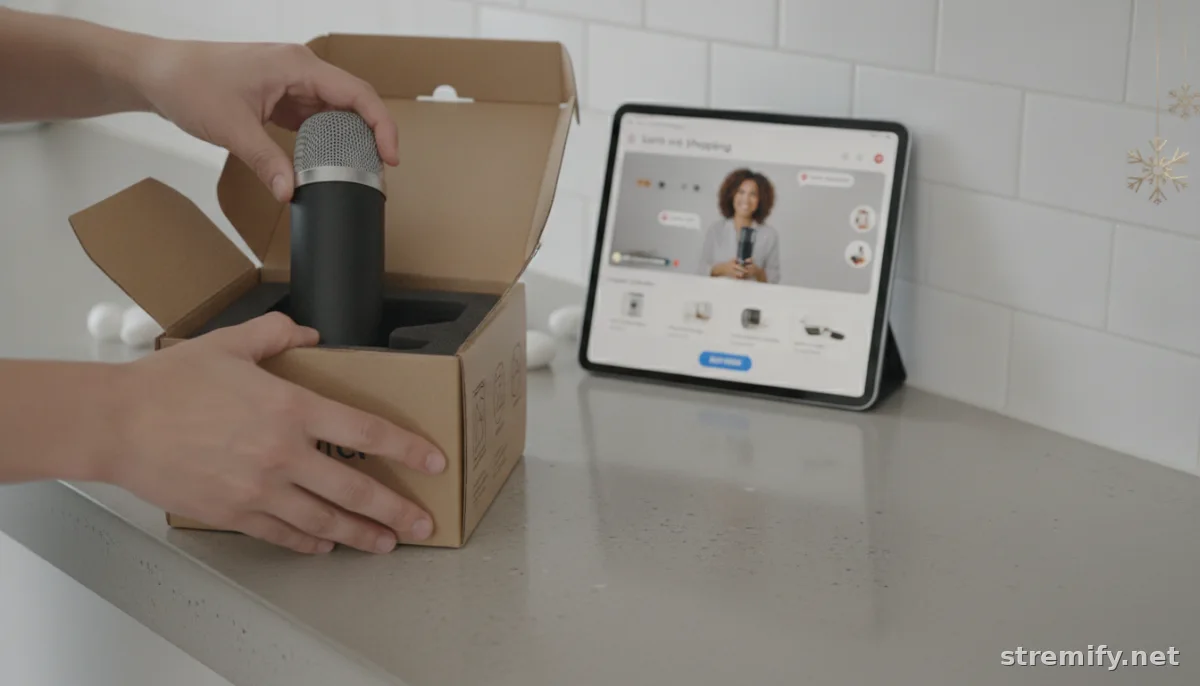
The Sennheiser Profile Streaming Set is more than just a great-sounding USB condenser mic. You get a sturdy, smooth boom arm that keeps your desk tidy and adjusts quickly for different camera angles or guest setups. It’s ideal for sellers who want premium desktop aesthetics and don’t want to fiddle with lots of software. Cardioid pattern ensures focused voice pickup while minimizing echo, which is especially useful in untreated home or boutique environments.23
Is USB or XLR Better for Live Selling?
For most ecommerce streamers, a quality USB microphone offers all the fidelity you need. USB models in 2026 rival or surpass what used to be mid-tier XLR setups. Plug them straight into your computer or phone, and you’re live in seconds.
If you’re building a studio or want multi-mic setups for co-hosts or interviews, XLR microphones like the SteelSeries Alias Pro or Shure SM7B are unmatched for control and upgrade potential. You’ll need a mixer or audio interface, but you’ll also get deeper signal processing and future expansion.
How to Get the Best Possible Audio on Your Stream
- Position your mic properly: Keep it 6 to 12 inches from your mouth, angled slightly off-center to avoid plosives.
- Use a pop filter or foam windscreen: This small add-on can dramatically cut down harsh sounds.
- Minimize background noise: Close doors, mute notifications, and if possible, pick a cardioid mic that rejects off-axis sound.
- Monitor your levels: Many USB mics let you plug in headphones for direct monitoring. Use this to avoid peaking or clipping.
- Invest in cables: Don’t let a weak cable introduce static or crackling. Braided USB or XLR cables are worth the small extra cost.
Choosing a Microphone for Your Live Shopping Platform
If you’re using Stremify to broadcast across TikTok, Instagram, YouTube, Facebook, and Twitch, a quality USB mic like the Blue Yeti or Shure MV7i is the best intersection of quality and versatility. You want plug-and-play reliability that sounds good everywhere your audience shops and comments.
Stremify’s browser-based setup makes swapping microphones painless, letting you test what works best with your space, energy, and budget. With pay-as-you-go credit pricing, you can put more of your setup budget toward getting a microphone that makes your products and your personality stand out.
If you’re still unsure what suits your space, check out detailed reviews and comparison videos on platforms like YouTube or try out different mics with your own streaming rig. A good microphone is an investment, not a splurge.
Ready to sound like a pro on your next live sale? With the right microphone, your audience won’t just watch, they’ll listen. For more creator tips and live shopping strategies, visit Stremify.
Frequently asked questions
Are USB microphones good enough for ecommerce streaming?
Yes, modern USB microphones provide excellent audio quality for ecommerce streaming, with easy plug-and-play setup and broad compatibility with major platforms like TikTok, YouTube, and Facebook.
What is the difference between condenser and dynamic microphones for live selling?
Condenser microphones are more sensitive and capture a wider range of sound, making voices sound richer. Dynamic microphones are less sensitive to background noise, which is better for noisy environments.
Do I need an audio interface for live ecommerce streaming?
You only need an audio interface if you use an XLR microphone. Most USB microphones work directly with your computer or mobile device without extra equipment.
How close should the microphone be to my mouth for the best sound?
Keep your microphone about 6 to 12 inches from your mouth and slightly off to the side to avoid harsh "p" sounds and breath noises during your stream.
Can I use the same microphone for both ecommerce streaming and podcasting?
Absolutely. Many top microphones like the Shure MV7i and Blue Yeti work great for both live ecommerce streams and podcast recordings, offering versatile sound and features.

