

How to Integrate Shop with Instagram Reels: A Practical Guide for E-commerce Brands
Want to sell directly on Instagram Reels? Learn how to integrate shop with Instagram Reels, tag products in videos, and use top shoppable formats to drive more sales.
Instagram Reels now account for half the time people spend on the platform. That’s 140 billion daily Reel views.1 Want your shop in front of this massive audience? You need to integrate your shop with Instagram Reels, and do it right.
Forget clunky links in bios or hoping someone messages you to buy. Shoppable Reels let viewers tap straight from your video to your online store, checkout, and even impulse buy while the music’s still playing.
Why Integrate Shop with Instagram Reels?
Reels’ reach is explosive. On average, Reels reach 30% of followers, double what photos or Stories offer. Even better, more than half your Reels viewers don’t even follow you yet, so it’s easily Instagram’s best format for discovery. Shoppable Reels generate a 41% higher click-through rate to brand sites than static ads. If you want sales, not just views, this is where you play.
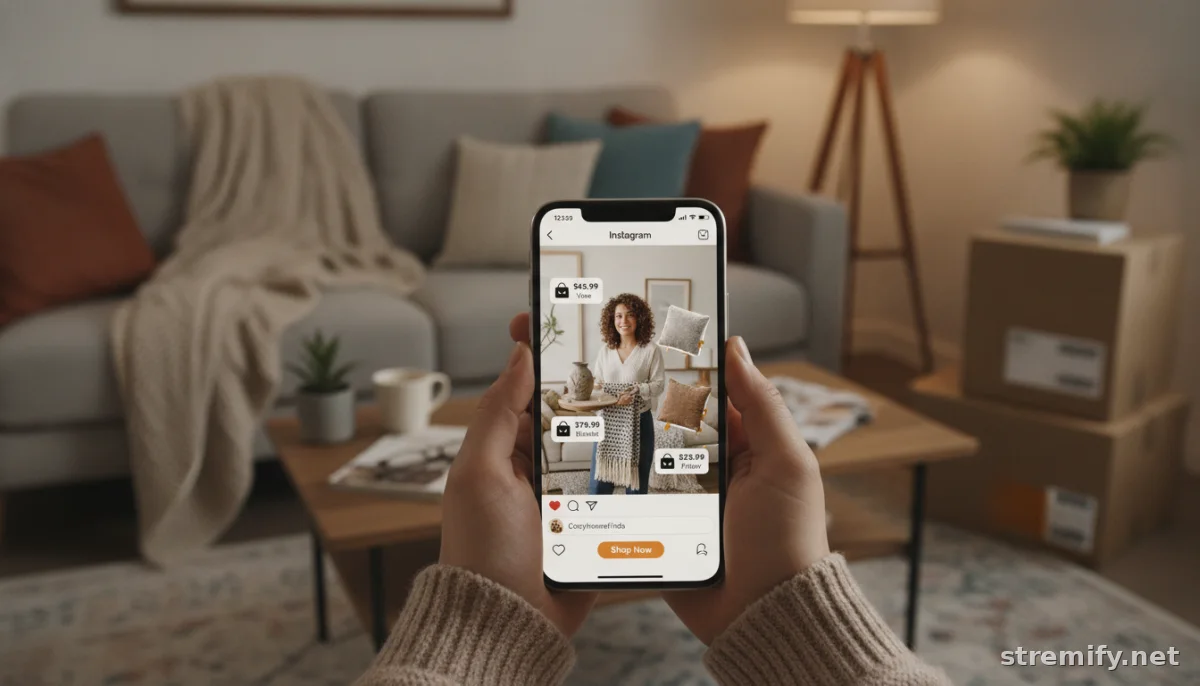
Step-by-Step: How to Integrate Shop with Instagram Reels
- Set Up Instagram Shopping
Make sure your business has an Instagram account linked to a Facebook Page. Head to your Commerce Manager, connect your product catalog (from Shopify, WooCommerce, or by manual upload), and submit your account for review. - Create Your Instagram Shop
Once approved, customize your Instagram Shop tab. Add collections, update your bio, and make sure your featured products match your latest campaigns. - Enable Product Tagging in Reels
When uploading or editing a Reel, tap "Tag Products." Search and select up to 30 products from your catalog to display in the video. Viewers will see tappable product tags or a "View products" button overlay. - Publish and Promote
Go live with your Reel. Use hashtags, trending audio, and engaging thumbnails to maximize reach. Pin your best shoppable Reels to your profile for easy browsing.
You can manage all this in Instagram’s native app, or streamline everything with a third-party platform like Stremify, which imports your store’s catalog, powers live-stream commerce, and makes shoppable campaigns a breeze.
Creative Formats for Selling with Instagram Reels
- Product Tags in Action: Show your product in use, outfits in motion, makeup transformation, gadget demos. Tag each featured product directly in the Reel.
- Gift Guides: Curate Reels for holiday, birthday, or themed gifting (“Gifts for Plant Lovers”), tagging every product in the guide.
- Unboxing and How-To: Post quick, visually satisfying unboxing or tutorial Reels. Tag products so viewers can shop what they see instantly.
- Reels Ads: Run paid Reels with shop links and product tags. These cost 18% less per impression than feed ads and drive 22% higher engagement.2
- Live Shopping: Run real-time sales events, demo products, chat with viewers, and pin shoppable products on screen. A platform like Stremify lets you simulcast your live selling event to Instagram, Facebook, TikTok, YouTube, and more, all with comment-to-buy features.
Instagram Reels Shopping: Feature Comparison Table
| Shopping Format | How It Works | Best For | Instagram Fee/Cost | Setup Needed |
|---|---|---|---|---|
| Reels with Product Tags | Add product links to organic videos | Day-to-day brand content | None (except shop commission at checkout) | Instagram Shop + Catalog connected |
| Reels Ads (Paid) | Sponsored Reels with clickable product tags | Boosting reach, retargeting | ~$7.20 CPM | Ad account required |
| Live Shopping via Stremify | Shoppable live video, multi-platform | Product launches, Q&A, real-time sales | Credit-based (pay-as-you-go) | Connect store, import catalog |
Best Practices to Drive Sales from Shoppable Reels
- Hook Fast: The first 2 seconds matter. Start with a bold visual, trending song, or question to stop the scroll.
- Keep It Short: Aim for 15 to 30 seconds. Anything longer and viewers bounce.
- Show Results: Don’t just list features, show the product being worn, used, or enhancing a lifestyle.
- Clear Call-to-Action: Point to the tag, say “tap to shop,” or use fun on-screen prompts.
- Monitor Performance: Track which Reels bring the most product taps, sales, and follows. Double down on what works.
- Use Trending Audio: Adding popular music or sound bites increases reach and saves your Reel to the trending tab.3
How to Track Your Shoppable Reels’ ROI
Inside Instagram Insights, look for metrics like product clicks, product views, and purchases driven by each Reel. Paid Reels offer breakdowns by demographic and action, so you can see what’s driving revenue. For multi-platform tracking (like if you’re running live events with Stremify), check your platform’s analytics dashboard to attribute each sale back to the right campaign.
Common Pitfalls (and How to Avoid Them)
- Unapproved Catalog: If your product catalog isn’t approved by Instagram, you can’t tag products. Double-check Commerce Manager for any errors or missing info.
- Out-of-Date Sync: Make sure your product listings are always updated, price, images, and titles need to match across your shop and Reels.
- Missing Call-to-Action: Don’t assume viewers know what to do. Always prompt them to "tap to shop" or "check the tagged products."
- Siloed Campaigns: If you’re running campaigns on multiple channels, use a unified platform like Stremify to keep your catalog and analytics synced everywhere.
Final Takeaway
If you want to sell where your customers spend hours, you need to integrate shop with Instagram Reels. Tag products, experiment with formats, and track your performance. Third-party platforms like Stremify can streamline and supercharge this process for you, no tech headaches required.
Ready to make your Reels shoppable? Start with Stremify and turn your videos into your best sales team.
Frequently asked questions
How do I integrate my shop with Instagram Reels?
First, set up Instagram Shopping and connect your product catalog. Once approved, you can tag products in your Reels during the upload or edit process, making it easy for viewers to shop directly from your videos.
Can I tag products in Instagram Reels without an Instagram Shop?
No, product tagging in Reels requires an Instagram Shop with a connected, approved product catalog. Make sure you meet Instagram’s commerce eligibility requirements before trying to tag products in your videos.
What types of products work best for shoppable Reels?
Visual, lifestyle-driven goods like fashion, beauty, gadgets, or home decor perform best. Anything you can demo, style, or show in action gets more clicks. Product guides, unboxings, and tutorials are also effective formats.
Are there any fees to tag products in Instagram Reels?
Tagging products in organic Reels is free, but Instagram charges a selling fee if customers checkout through Instagram. Running paid Reels Ads incurs advertising costs based on your target audience and budget.
What’s the fastest way to manage multi-channel live shopping, including Instagram Reels?
Use a platform like Stremify to import your catalog, manage shoppable Reels, and run live-commerce campaigns across Instagram, TikTok, Facebook, and more, all from one dashboard.

