

How to Repurpose Livestream Content for Reels and TikTok (Without Doubling Your Work)
Turn your live shopping streams into engaging Reels and TikToks. This guide shows you how to repurpose livestream content for reels, boost ROI, and build your brand.
Ever wrapped a live shopping show, but your Instagram feels like a desert? You're sitting on a goldmine of content. Livestreams are packed with authentic, action-packed moments that can fuel your short-form strategy for weeks. The key: repurpose livestream content for reels and TikTok clips that actually drive ROI.
Why Repurpose Livestream Content for Reels?
Livestreams capture genuine reactions, real-time questions, and product demos that feel spontaneous, exactly what performs on Reels and TikTok. But letting those moments vanish after the broadcast is like running a flash sale with the doors locked. Repurposing lets you squeeze extra value out of every campaign, reach fresh audiences, and multiply your traffic without starting from zero.
Short-form vertical video is where users spend their time: Instagram Reels and TikTok both push fresh, punchy content to new viewers on the daily. Brands that slice up livestreams into shorts consistently see higher engagement, more shares, and a steady stream of new followers. Plus, you get to stretch your production budget further, turning a single shoot into dozens of posts.
Step-by-Step: Turning Live Shopping Streams Into Reels and TikToks
1. Choose the Right Livestreams
Start with broadcasts that already performed well, look for high-energy interactions, memorable customer questions, or product launches with live demos. Evergreen topics (think styling tips, unboxings, or “how it works” breakdowns) are the easiest to slice into stand-alone clips that won’t feel dated.
2. Clip for Attention
Reels and TikToks thrive on strong hooks. Scrub through your livestream recording and pull out segments where something interesting happens right away: a bold product reveal, a jaw-dropping discount, or a funny, unscripted reaction. Aim for 15 to 45 second clips, short, punchy, and made for vertical scrolling.
3. Reformat for Mobile
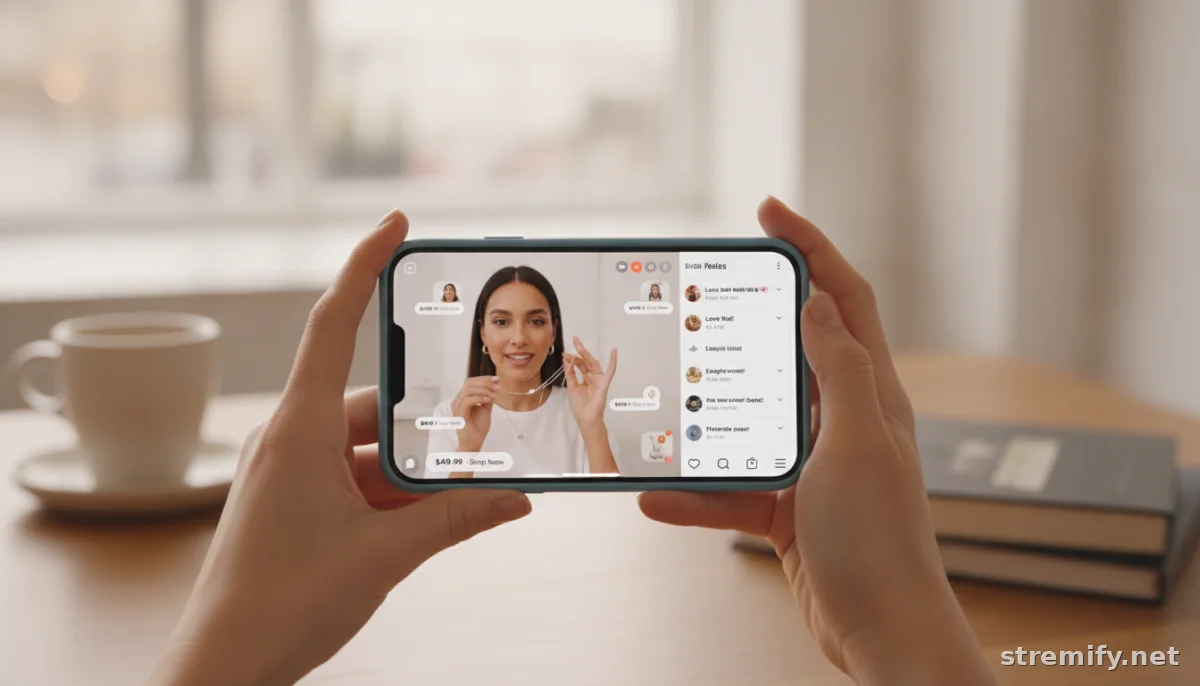
Most livestreams are horizontal, but Reels and TikTok demand vertical videos, ideally 9:16. Use any simple editor (CapCut, InShot, or even the built-in tools on Instagram/TikTok) to crop and zoom on the speaker or product. Add branded overlays, subtitles, and calls-to-action so your brand is unmistakable and viewers know what to do next.1
4. Add Context and Branding
If you’re trimming a snippet out of a longer conversation, add a quick intro text or voiceover (“Watch how fast this sold out!”) so people know what they’re seeing. Drop your logo in a corner and sprinkle on-brand graphics to match the rest of your feed. Strong visuals help your content stand out, even to viewers who never watched the original stream.
5. Publish Natively, Optimize for Each Platform
Don’t just blast the same clip everywhere. Post on Instagram Reels and TikTok directly; both platforms reward native uploads and fresh edits. Use relevant hashtags, tag featured products or guests, and tweak your caption style for each app. TikTok trends change fast, so a quick edit (like adding a trending sound) can boost your visibility.
Pro Tools and Smart Workflow Hacks
Here’s how to make repurposing part of your routine, not a chore:
- Timestamp highlights live: During your broadcast, jot down the minute marks or use a platform like Stremify to bookmark standout moments as you go. This saves hours in post-production.
- Batch edit once per week: Instead of clipping every single stream immediately after, block an hour to chop up and reformat several streams at once. This keeps your feed steady and avoids burnout.
- Use automation tools: Platforms like Repurpose.io and PostQuickAI can auto-detect vertical-friendly moments or even generate draft shorts for review.
What Makes a Great Clip? Real-World Examples
Not every livestream moment will go viral, but these formats routinely perform well after repurposing:
- Quick product demos with enthusiastic reactions (“Watch how it works” or “This sold out in 2 minutes!”)
- Lightning round Q&As (“Can you really wear these in the rain?”)
- Unboxing a trending or seasonal product, with genuine surprise
- Flash discount announcements (“20% off until midnight!”)
- Behind-the-scenes outtakes or unexpected bloopers
These all work because they’re unscripted, people-focused, and packed with personality, the stuff that makes short-form video addictive.
Platform Comparison: Where Should You Share Your Clips?
| Platform | Ideal Clip Length | Format | Best For | Tips |
|---|---|---|---|---|
| Instagram Reels | 15-45s | Vertical (9:16) | Engagement, discovery | Use music, quick captions, product tags |
| TikTok | 10-60s | Vertical (9:16) | Viral potential, trends | Jump on trending sounds, fast edits |
| YouTube Shorts | 15-60s | Vertical (9:16) | Search, education | Hook in the first 2 seconds |
| Facebook Reels | 15-60s | Vertical (9:16) | Older demographics | Repurpose top Instagram Reels |
Lessons From Live Shopping Pros: First-Hand Experience
Running live shopping with Stremify, we’ve seen creators maximize ROI by planning their live streams with repurposing in mind. Sellers bookmark highlights during their stream, then schedule weekly editing sprints to batch their best clips. Since Stremify lets campaigns broadcast to Instagram, TikTok, Facebook, YouTube, and Twitch at the same time, merchants reach audiences everywhere and already have multi-platform footage ready to cut for new formats. Adding live quizzes or polls during broadcasts also gives you even more interactive moments that convert well into digestible, engaging short clips.
Practical Tips for Merchants and Creators
- Always record your streams in the highest resolution your platform allows; cropping for vertical eats into quality.
- Keep an eye on analytics, see which live moments got the most comments or spikes in sales, then turn those into clips first.
- Don’t worry about perfect edits: authenticity outperforms polish for short-form content.
- Link out in your bio or pinned comments to drive reel viewers straight to your shop or next live event.
And if you’re running multi-channel streams, start saving your best bits, every standout live moment is a potential viral Reel or TikTok. Don’t let your hard work disappear into the archive.
Ready to turn every livestream into a full month of content? See how Stremify helps sellers repurpose live shopping campaigns for maximum reach, no studio needed.
Frequently asked questions
How do I repurpose livestream content for reels and TikTok?
Start by selecting engaging moments from your livestream, then trim them into 15 to 45 second vertical clips. Add branded overlays, subtitles, and a clear call-to-action. Post natively on Instagram Reels and TikTok for best results.
What tools help turn livestreams into short-form video?
Popular options include CapCut, InShot, and native Instagram or TikTok editors for cropping and adding overlays. Automation tools like Repurpose.io and PostQuickAI can speed up the workflow by suggesting highlights and formatting clips automatically.
Is it better to use livestream highlights or create new content for Reels?
Both work, but repurposing authentic livestream highlights saves time and captures real reactions, which typically outperform heavily produced content on Reels and TikTok.
Should I change the format of my livestream for Reels?
Yes, convert your livestream to a vertical 9:16 format to fit Instagram Reels and TikTok. Crop to feature the main subject and add graphics or captions for clarity and branding.
How many clips should I make from a single live shopping stream?
Aim for 3 to 10 high-quality highlights per stream. Focus on moments with strong hooks, product demos, Q&As, or reactions that tell a mini-story on their own.

