
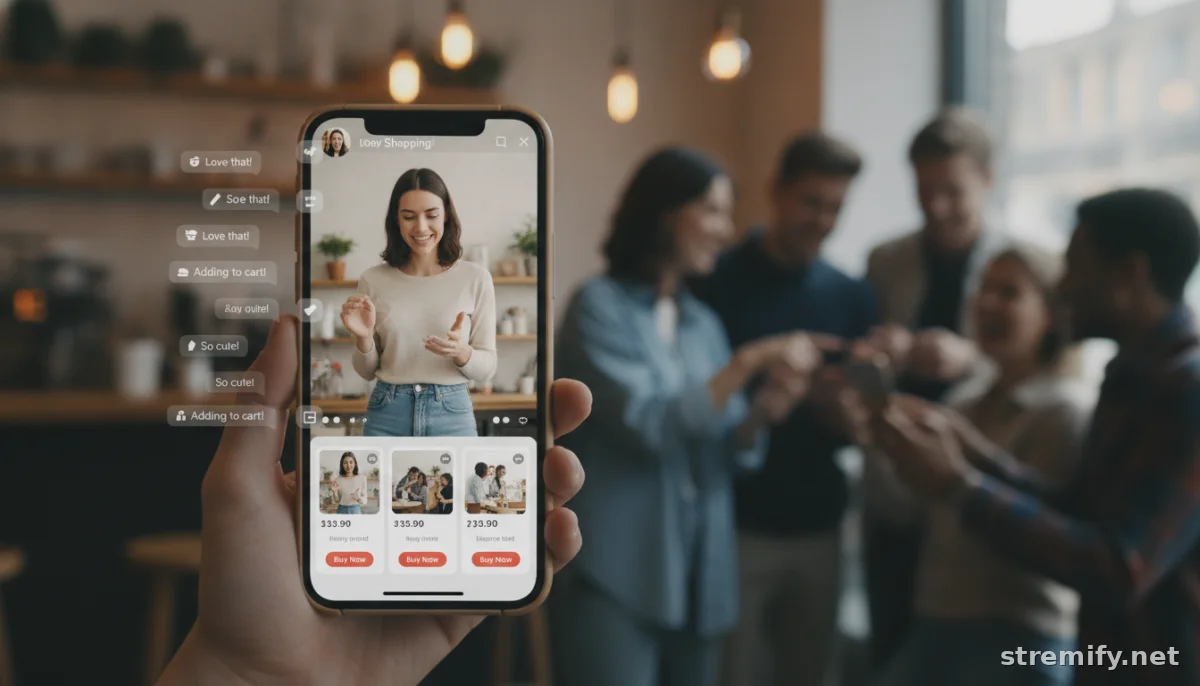
How to Connect Ecommerce Store to Livestream: Step-by-Step Integration Guide
Want to sell directly from your online store during live streams? This guide walks you through how to connect your ecommerce store to a livestream platform for real-time engagement and direct sales.
Ever watched a live video, saw something you wanted, and wished you could buy it with a tap, right then and there? This is the magic of live shopping. The catch: connecting your ecommerce store to a livestream platform is where most brands stall.
Getting products from your store onto Facebook, TikTok, Instagram, YouTube, or Twitch live? It’s easier than you think, and you don’t have to be a tech wizard. Here’s how to connect your ecommerce store to a livestream, what platforms make it easiest, and how to avoid rookie mistakes in 2026.
Why Connect Your Ecommerce Store to a Livestream?
Short answer: higher conversion rates and real-time engagement. Live commerce blends the urgency of a flash sale with the interaction of an in-store experience. Shoppers can ask questions in the chat, see products up close, and purchase on the spot.
- Impulse buying is common during live streams. Many brands now see much higher conversion during live events compared to static online shops.12
- Direct answers and real demos build trust quickly.
- Limited deals and live-only perks drive participation.
What You Need to Connect Your Ecommerce Store to a Livestream
There are three main moving parts:
- Your ecommerce store (Shopify, WooCommerce, Magento, etc.)
- A live streaming platform or tool
- A way to pipe your product feed into the livestream so viewers can buy instantly
Some platforms integrate everything for you. Others need plugins or a few manual steps. Here’s what to look for.
Direct Integrations vs. Manual Setups
- Direct: Apps like Stremify let you import your full product feed, design a branded shop, and stream to multiple channels at once, no coding required.
- Manual: Some tools need you to copy SKU codes or upload CSV files, then pin product links in your stream chat. It works but feels clunky for viewers.
Step-by-Step: How to Connect Your Ecommerce Store to a Livestream
Let’s walk through a typical process using a modern live shopping platform that supports multi-channel streaming and real-time ordering.
- Choose Your Live Shopping Platform
- Pick one that supports your ecommerce backend. For example, Stremify works with any store that can export a product feed, including Shopify and WooCommerce.
- Check if it supports the social channels where your audience hangs out: Instagram, TikTok, Facebook, YouTube, Twitch.
- Connect Your Store or Import Products
- Log in to your chosen platform. Look for an “Import Products” or “Connect Store” option.
- Sign in with your store credentials, or paste in your product feed URL. Platforms like Shopify and WooCommerce provide easy links or export options for this.
- Design Your Livestream Shop
- Customize branding, colors, and product highlights. Add banners or countdowns for live deals.
- Preview your layout before going live to see how product cards and checkout will display for viewers.
- Connect Social Channels
- Link your Facebook, Instagram, YouTube, TikTok, or Twitch accounts.
- This usually means authorizing access and choosing where to broadcast.
- Go Live and Sell
- Start your livestream. As you demo each item, feature it on-screen so viewers can click to buy.
- Respond to questions in the chat. Run live polls, quizzes, or giveaways to keep engagement high.
- Manage Orders in Real Time
- Most modern platforms send orders straight to your connected store for fulfillment, no manual entry.
- Use analytics to see which products convert best and who your top fans are.
Comparison Table: Top Platforms to Connect Ecommerce Store to Livestream
| Platform | Key Integration | Supported Channels | Pricing Model |
|---|---|---|---|
| Stremify | Product feed import, real-time comment-to-buy, live quizzes | TikTok, Instagram, Facebook, YouTube, Twitch | Credit-based (pay-as-you-go) |
| Bambuser | One-click Shopify, Magento, Salesforce integrations | Web, Facebook, Instagram | Contact for pricing |
| CommentSold | Shopify, WooCommerce, comment selling | Facebook, Instagram, web | Monthly subscription |
| StreamYard | Livestream overlay tools, manual product links | Facebook, YouTube, LinkedIn, Twitch | Monthly subscription |

Tips for a Smooth Integration
- Test your product feed before going live. Preview how items look on your stream and check that inventory syncs correctly.
- Use interactive features like live quizzes or comment-to-buy to make shopping social, not just transactional. In our experience running live shopping campaigns, adding live polls and quizzes keeps viewers engaged and returning for future streams.
- Optimize for mobile. Most viewers watch (and buy) from their phones.
- Announce your livestream on all your socials and send email reminders to your list. The more viewers at the start, the bigger the snowball effect on sales.
Common Pitfalls and How to Avoid Them
- Lag between store and livestream: Inventory or price changes not syncing in real time. Use platforms that auto-sync your product feed.
- Poor checkout experience: Forcing shoppers to leave the stream to buy kills conversion. Look for native, in-stream checkout or comment-to-buy features.
- Boring streams: Dead air, bad lighting, and no engagement hurt your numbers. Prepare a product rundown and interactive moments in advance.
Takeaway: Start Small, Scale Fast
Connecting your ecommerce store to a livestream is accessible for brands of any size. With tools like Stremify, you can import your products, design a branded shop, and stream shoppable campaigns across multiple channels, without coding or huge investments.
Test it for your next product drop or sale. The sooner you start, the sooner you’ll see how powerful interactive live selling can be. Livestream shopping sales are projected to exceed $1 trillion by 2026 in Asia alone, and the US market is expected to more than double its sales since 2023, showing just how much potential there is in this channel.34
Frequently asked questions
What do I need to connect my ecommerce store to a livestream?
You’ll need an online store (like Shopify or WooCommerce), a livestream platform that supports product integrations, and a way to import your products into the stream so viewers can shop live.
Which platforms let me connect my store to a livestream without coding?
Platforms like Stremify make it easy to connect your store using product feed import tools, so you don’t need to code or hire a developer. Most major live shopping platforms offer no-code integrations.
Does live shopping work on mobile devices?
Yes, most live shopping platforms are mobile-friendly, allowing viewers to browse, chat, and buy products directly from their phones during the livestream.
How is inventory synced between my store and the livestream?
Modern live shopping platforms regularly sync your product feed with your store, updating prices and stock in real time, so buyers always see what’s actually available.
Can I stream to multiple social channels at the same time?
Many live shopping tools support multistreaming, so you can broadcast to Facebook, Instagram, TikTok, YouTube, or Twitch at once, bringing in more viewers and potential buyers.

